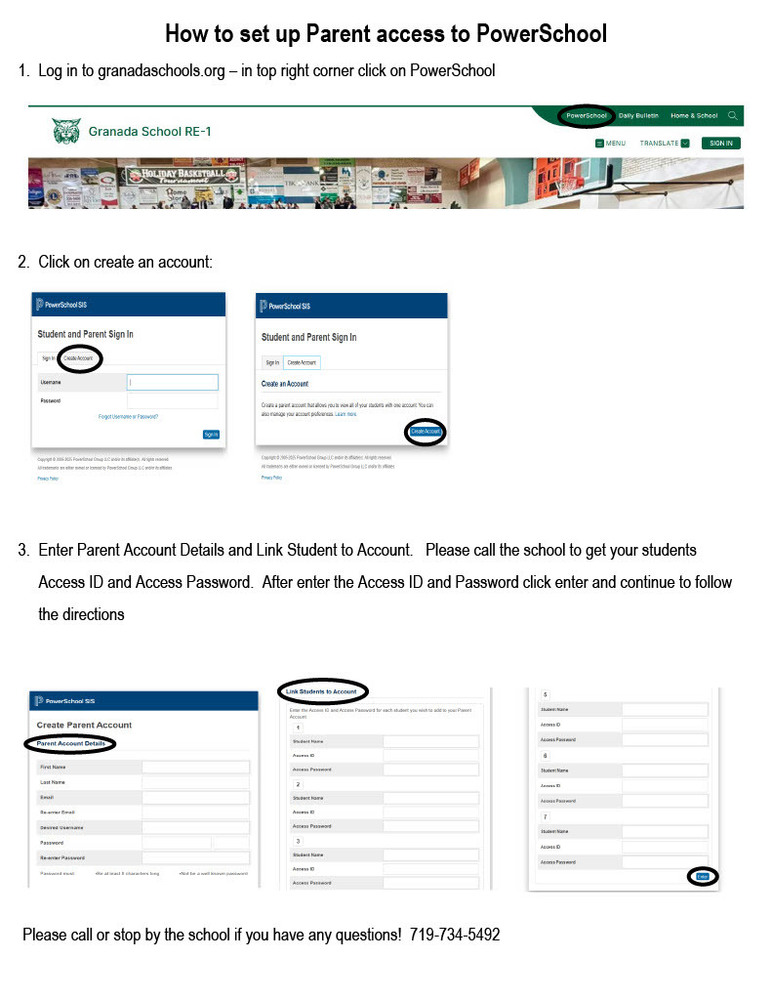
How to set up Parent access to PowerSchool 1.  Log in to granadaschools.org – in top right corner click on PowerSchool       2.  Click on create an account:      	   3.  Enter Parent Account Details and Link Student to Account.   Please call the school to get your students       Access ID and Access Password.  After enter the Access ID and Password click enter and continue to follow       the directions

Please call Granada School if you have any questions.

719-734-5492

Click link below to print

How to set up Parent access to PowerSchool